R9 SX - FrSKY Receiver
Introduction
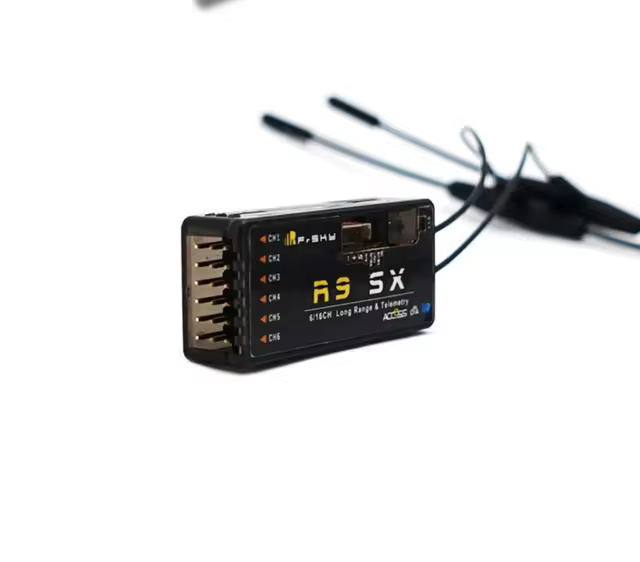
Registration and Automatic Binding
- Put Transmitter into Registration status.
- Hold the Receiver's F/S button while connecting it to power (can also unplug and plug it back into power while holding button).
- This should put the Receiver into Registration status on the Transmitter.
- Once registration is complete, unplug the Receiver from power.
- Select a binding point. Once the Transmitter is waiting for Receiver, plug it back in.
- The Receiver should be perpetually GREEN if it is within range of transmitter. If it is in range, but you are still seeing RED, check this section for ways to update firmware.
Switch S.Port/SBUS output channels
- Once the GREEN Receiver is in range, click the bound point and open its Options.
- Go to CHANNEL 6 and change it to SBUS.
- This is necessary for most cases, especially with systems using PX4 - Autopilot as the flight-controller firmware.
FAQs
How to update Receiver Firmware?
- Download the most recent firmware from frsky-rc.com.
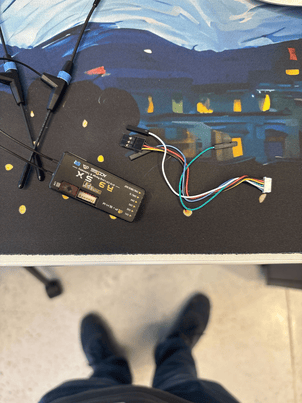
- Next, find the following cable that should come with the R9 SX module:
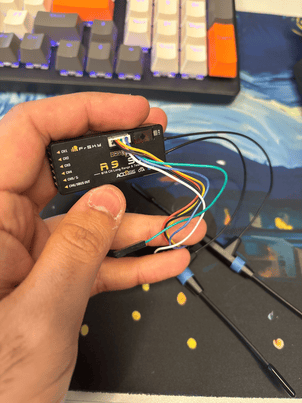
- Connect it to the module as follows:
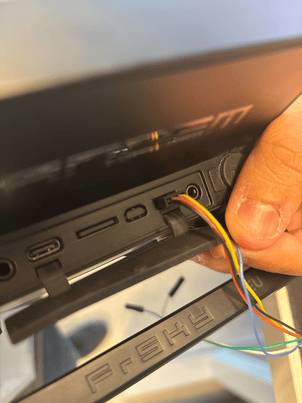
- Unzip and transfer over the firmware files into the Transmitter/Controller over USB (by setting it into Ethos mode) and then connect the other end of the cable connected to Receiver to the Transmitter as follows:
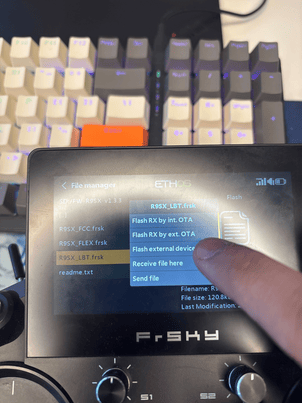
- Navigate to the File manager and select the LBT version of the firmware. Then select "Flash external device" like follows: